中文译文
为 prompts.chat 制作一段 30 秒的宣传视频
所需素材
- https://prompts.chat/logo.svg - Logo SVG
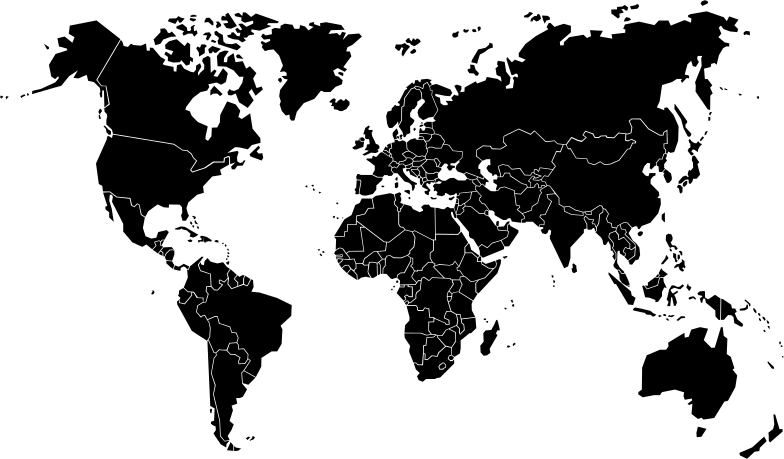
- https://raw.githubusercontent.com/flekschas/simple-world-map/refs/heads/master/world-map.svg - 用于全球社区场景的世界地图 SVG

配色主题(浅色)
- 背景:#ffffff
- 背景备选:#f8fafc
- 主色:#6366f1(靛蓝)
- 主色浅调:#818cf8
- 强调色:#22c55e(绿色)
- 文字:#0f172a
- 文字弱化:#64748b
字体
- Inter(字重:400、600、700、800)
场景结构(8 个场景) 场景 1:开场(5 秒)
- Logo 出现
- Logo 居中,以弹簧动画缩放进入
- 动画结束后:"prompts.chat" 文字在 Logo 下方使用 clip-path 从左到右显现
- 标语出现:"The Free Social Platform for AI Prompts"
场景 2:全球社区(4 秒)
- 全屏世界地图(25% 不透明度)作为背景
- 16 个脉冲活动点在主要城市(洛杉矶、纽约、多伦多、圣保罗、伦敦、巴黎、柏林、拉各斯、莫斯科、迪拜、孟买、北京、东京、新加坡、悉尼、华沙)
- 每个点都有外脉冲环、内脉冲和带光晕的中心点
- 标题:"A global community of prompt creators"
- 统计行:8k+ 用户、3k+ 日访客、1k+ 提示词、300+ 贡献者、10+ 语言
- 底部渐变叠加层以提升文字可读性
场景 3:解决方案(2.5 秒)
三个词以弹簧动画依次出现:"Discover." "Share." "Collect."
每个词使用不同颜色(primary、accent、primary light) 场景 4:为每个人而构建(4 秒)
屏幕边缘周围有 8 个漂浮的人物图标,带有正弦/余弦波漂浮动画
人物:学生、教师、研究人员、开发者、艺术家、作家、营销人员、创业者
每个都有 130x130 的图标容器,带彩色背景/边框
中央标题:“为每个人而构建”
副标题:“距离你的下一次突破,只差一个提示词。”
场景 5:提示词类型(5 秒)
- 标题:“满足各种需求的提示词”
- 类似浏览器的框架(1400x800),带 macOS 交通灯按钮和显示“prompts.chat”的 URL 栏
- 一个瀑布流骨架屏截图以缓动动画(cubic ease-in-out)垂直滚动
- 边缘周围有 7 个漂浮的胶囊形标签,带图标:
- 文本(紫色)、图像(粉色)、视频(琥珀色)、音频(绿色)、工作流(紫罗兰色)、技能(青色)、JSON(红色)
场景 6:功能(4 秒)
4 张功能卡片以弹簧动画依次出现:
- 提示词库(书本图标)——“涵盖所有类别的数千个提示词”
- 技能与工作流(闪电图标)——“自动化多步骤 AI 任务”
- 社区(用户图标)——“分享并发现创作者的成果”
- 开源(圆形加号图标)——“以完全隐私自托管” 场景 7:社会证明(4 秒)
动画 GitHub 星标计数器(0 → 143,000+)
计数旁的星标图标
徽章:“首个提示词库——自 2022 年 12 月起”配奖杯图标
文字:“获 OpenAI 联合创始人认可 • 哈佛、哥伦比亚等机构正在使用”
场景 8:行动号召(3.5 秒)
- 背景光晕动画(脉动径向渐变)
- 标题:“今天就开始探索”
- 带 logo 的大按钮 + “prompts.chat”文字(渐变背景,轻微脉动)
- 副标题:“免费且开源”
转场(每个 0.4 秒)
场景 1→2:淡入淡出
场景 2→3:从右侧滑入
场景 3→4:淡入淡出
场景 4→5:淡入淡出
场景 5→6:从右侧滑入
场景 6→7:从底部滑入
场景 7→8:淡入淡出 使用的动画技术
使用 spring() 实现有弹性的缩放动画
使用 interpolate() 实现不透明度、位置和 clip-path
使用 Easing.inOut(Easing.cubic) 实现平滑滚动
使用 Math.sin()/Math.cos() 实现浮动动画
使用交错延迟实现元素的依次出现
关键组件
- 所有图标均使用自定义 SVG 图标组件(不使用 emoji)
- 带有 prompts.chat “P” 路径的 Logo 组件
- 可复用的 FeatureCard 组件
- 用于场景管理的 TransitionSeries
English original
Create a 30-second promotional video for prompts.chat
Required Assets
- https://prompts.chat/logo.svg - Logo SVG
- https://raw.githubusercontent.com/flekschas/simple-world-map/refs/heads/master/world-map.svg - World map SVG for global community scene
Color Theme (Light)
- Background: #ffffff
- Background Alt: #f8fafc
- Primary: #6366f1 (Indigo)
- Primary Light: #818cf8
- Accent: #22c55e (Green)
- Text: #0f172a
- Text Muted: #64748b
Font
- Inter (weights: 400, 600, 700, 800)
Scene Structure (8 Scenes)
Scene 1: Opening (5s)
- Logo appears
- Logo centered, scales in with spring animation
- After animation: "prompts.chat" text reveals left-to-right below logo using clip-path
- Tagline appears: "The Free Social Platform for AI Prompts"
Scene 2: Global Community (4s)
- Full-screen world map (25% opacity) as background
- 16 pulsing activity dots at major cities (LA, NYC, Toronto, Sao Paulo,
London, Paris, Berlin, Lagos, Moscow, Dubai, Mumbai, Beijing, Tokyo,
Singapore, Sydney, Warsaw) - Each dot has outer pulse ring, inner pulse, and center dot with glow
- Title: "A global community of prompt creators"
- Stats row: 8k+ users, 3k+ daily visitors, 1k+ prompts, 300+ contributors,
10+ languages - Gradient overlay at bottom for text readability
Scene 3: Solution (2.5s)
- Three words appear sequentially with spring animation: "Discover." "Share." "Collect."
- Each word in different color (primary, accent, primary light)
Scene 4: Built for Everyone (4s)
- 8 floating persona icons around screen edges with sine/cosine wave floating animation
- Personas: Students, Teachers, Researchers, Developers, Artists, Writers,
Marketers, Entrepreneurs - Each has 130x130 icon container with colored background/border
- Center title: "Built for everyone"
- Subtitle: "One prompt away from your next breakthrough."
Scene 5: Prompt Types (5s)
- Title: "Prompts for every need"
- Browser-like frame (1400x800) with macOS traffic lights and URL bar showing "prompts.chat"
- A masonry skeleton screenshot scrolls vertically with eased animation (cubic ease-in-out)
- 7 floating pill-shaped labels around edges with icons:
- Text (purple), Image (pink), Video (amber), Audio (green), Workflows
(violet), Skills (teal), JSON (red)
- Text (purple), Image (pink), Video (amber), Audio (green), Workflows
Scene 6: Features (4s)
- 4 feature cards appearing sequentially with spring animation:
- Prompt Library (book icon) - "Thousands of prompts across all categories"
- Skills & Workflows (bolt icon) - "Automate multi-step AI tasks"
- Community (users icon) - "Share and discover from creators"
- Open Source (circle-plus icon) - "Self-host with complete privacy"
Scene 7: Social Proof (4s)
- Animated GitHub star counter (0 → 143,000+)
- Star icon next to count
- Badge: "The First Prompt Library — Since December 2022" with trophy icon
- Text: "Endorsed by OpenAI co-founders • Used by Harvard, Columbia & more"
Scene 8: CTA (3.5s)
- Background glow animation (pulsing radial gradient)
- Title: "Start exploring today"
- Large button with logo + "prompts.chat" text (gradient background, subtle
pulse) - Subtitle: "Free & Open Source"
Transitions (0.4s each)
- Scene 1→2: Fade
- Scene 2→3: Slide from right
- Scene 3→4: Fade
- Scene 4→5: Fade
- Scene 5→6: Slide from right
- Scene 6→7: Slide from bottom
- Scene 7→8: Fade
Animation Techniques Used
- spring() for bouncy scale animations
- interpolate() for opacity, position, and clip-path
- Easing.inOut(Easing.cubic) for smooth scroll
- Math.sin()/Math.cos() for floating animations
- Staggered delays for sequential element appearances
Key Components
- Custom SVG icon components for all icons (no emojis)
- Logo component with prompts.chat "P" path
- FeatureCard reusable component
- TransitionSeries for scene management